




ZWO ASIAIR Plus control of ASI cameras and mounts via tablets and smartphones
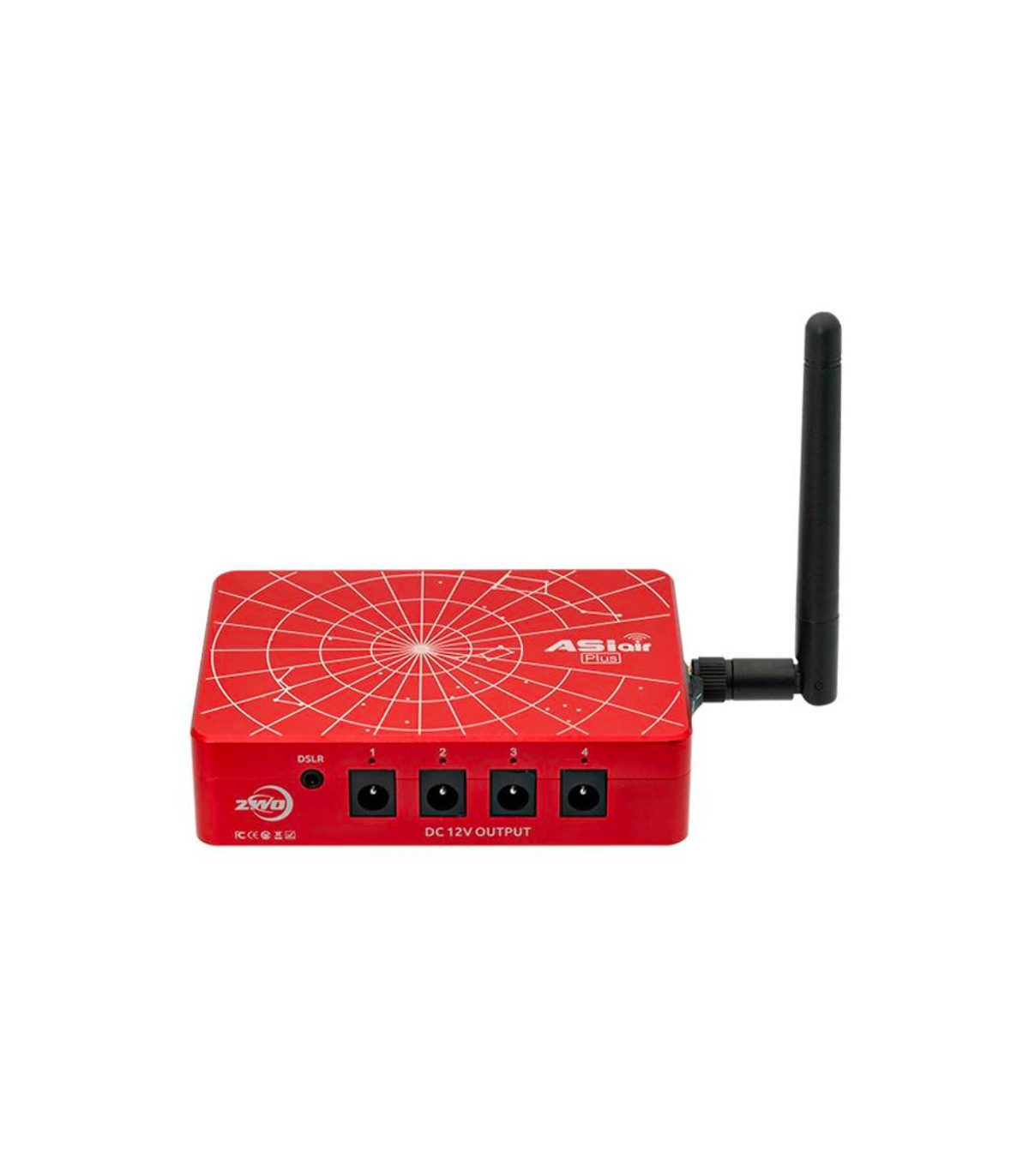
ASIAIR Plus enables control of all ASI USB 3.0, ASI Mini, selected DSLR and system cameras as well as media via smartphone or tablet.
♦ Full operation of your camera, auto-guidance and automatic tracking of your mount from your smartphone or tablet
♦ Wireless Control - No more tangled cables between mount, camera and computer
♦ Independent autoguiding function in combination with a suitable camera such as the ASI120Mini – ideal for all astrophotographers with a DSLR, no computer required in the field
♦ Real-time image preview and focus assist for easy and precise focusing
♦ Debayer for all ASI Color astronomical cameras with image processing
♦ Almost all equatorial mounts are supported, eg Skywatcher or iOptron
♦ ASIAIR works with IOS and Android operating systems
♦ User-friendly interfaces with a clear surface
♦ ASIAIR is also compatible with DSLR cameras and selected system cameras
€429.00
(VAT incl.)
Reference:
ASIAIRPLUS
ZWO ASIAIR PLUS - astrophotography has never been so easy!
ASIAIR PLUS is a smart WiFi controller for all astrophotography applications. Replaces a laptop or expensive stand-alone autoguider. Tangled cables on the telescope are also a thing of the past. All you need is your smartphone or tablet, which you connect to the ASIAIR WiFi. The application areas are diverse:
♦ Control all ZWO ASI USB 3.0 cameras, but cooled cameras require an additional power supply
♦ Autoguiding in combination with a ZWO MINI camera, for example with ASI120 Mini
♦ Control of selected mounts, eg from Skywatcher or iOptron
♦ Control of selected DSLR and system cameras
♦ Autofocus with ZWO EAF motorized focus
♦ Debayer function for ZWO color cameras
♦ Image preview
♦ Orientation routine
♦ Planetary and lunar video recordings
♦ Live stacking
♦ and much more!
ASIAIR PLUS is the third generation of ASIAIR
ASIAIR is constantly being further developed by ZWO and the third generation also impresses with its well-known reliability and interesting innovations:
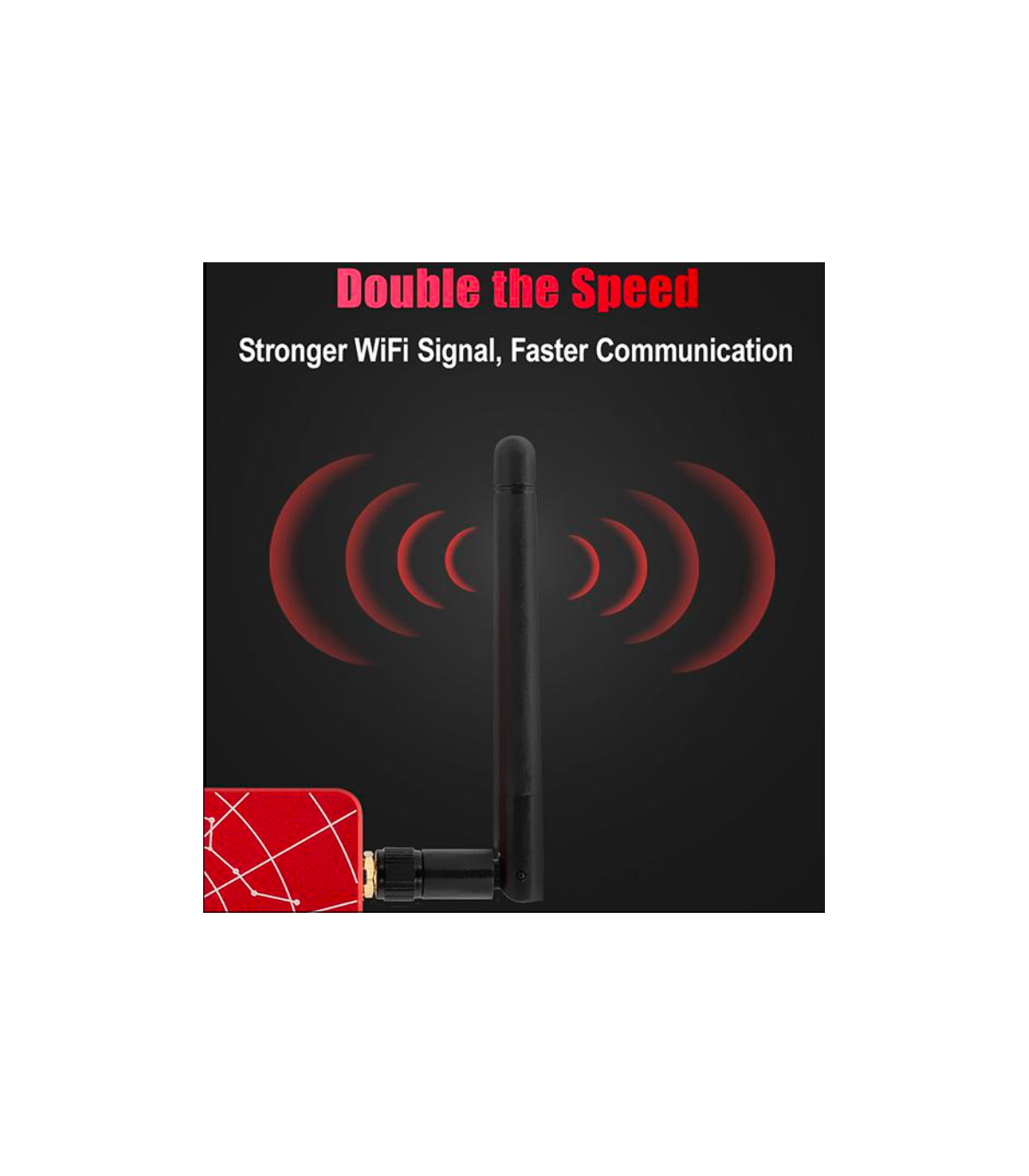
♦ Built-in WiFi antenna, which significantly increases the signal and increases the range;
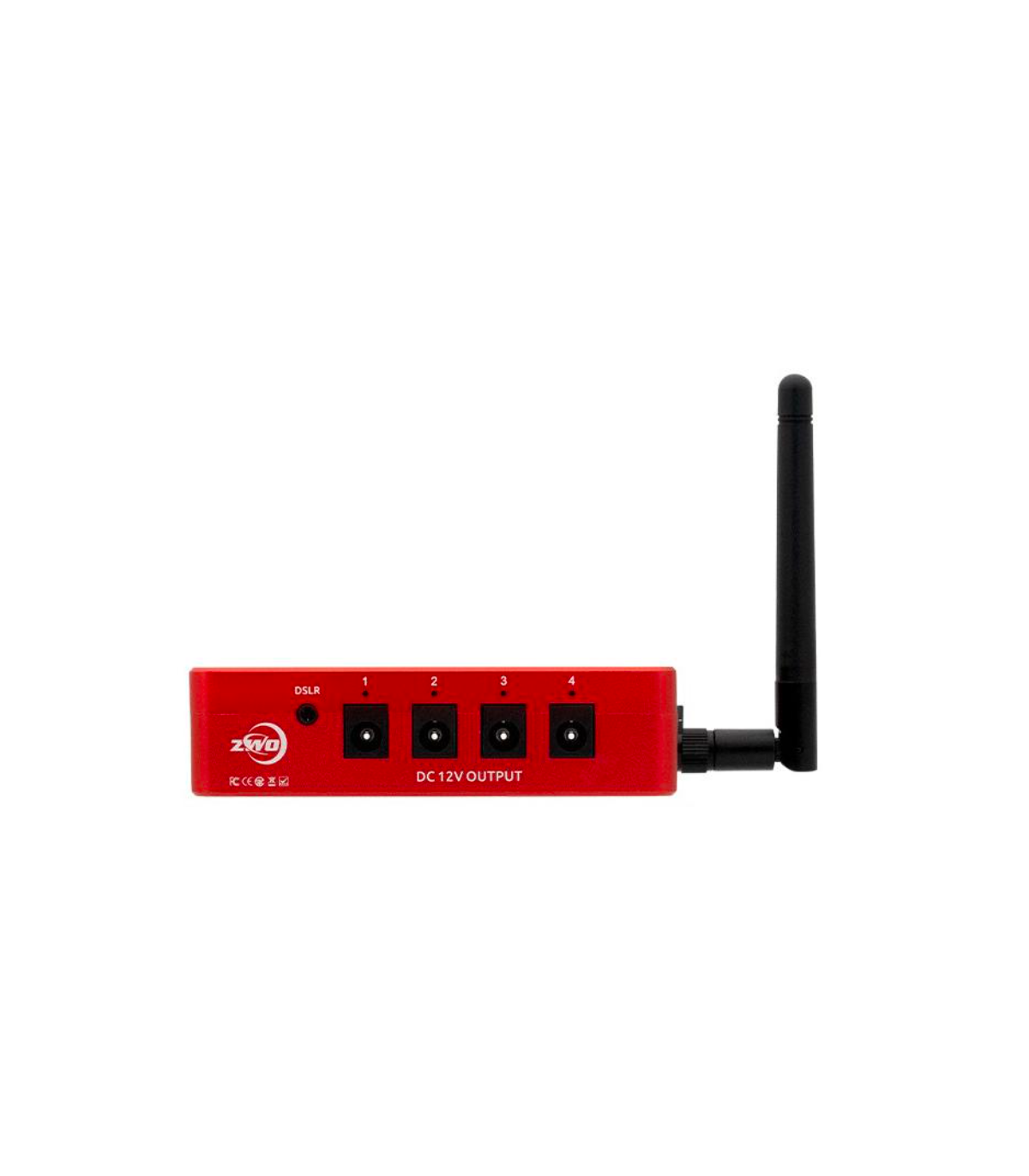
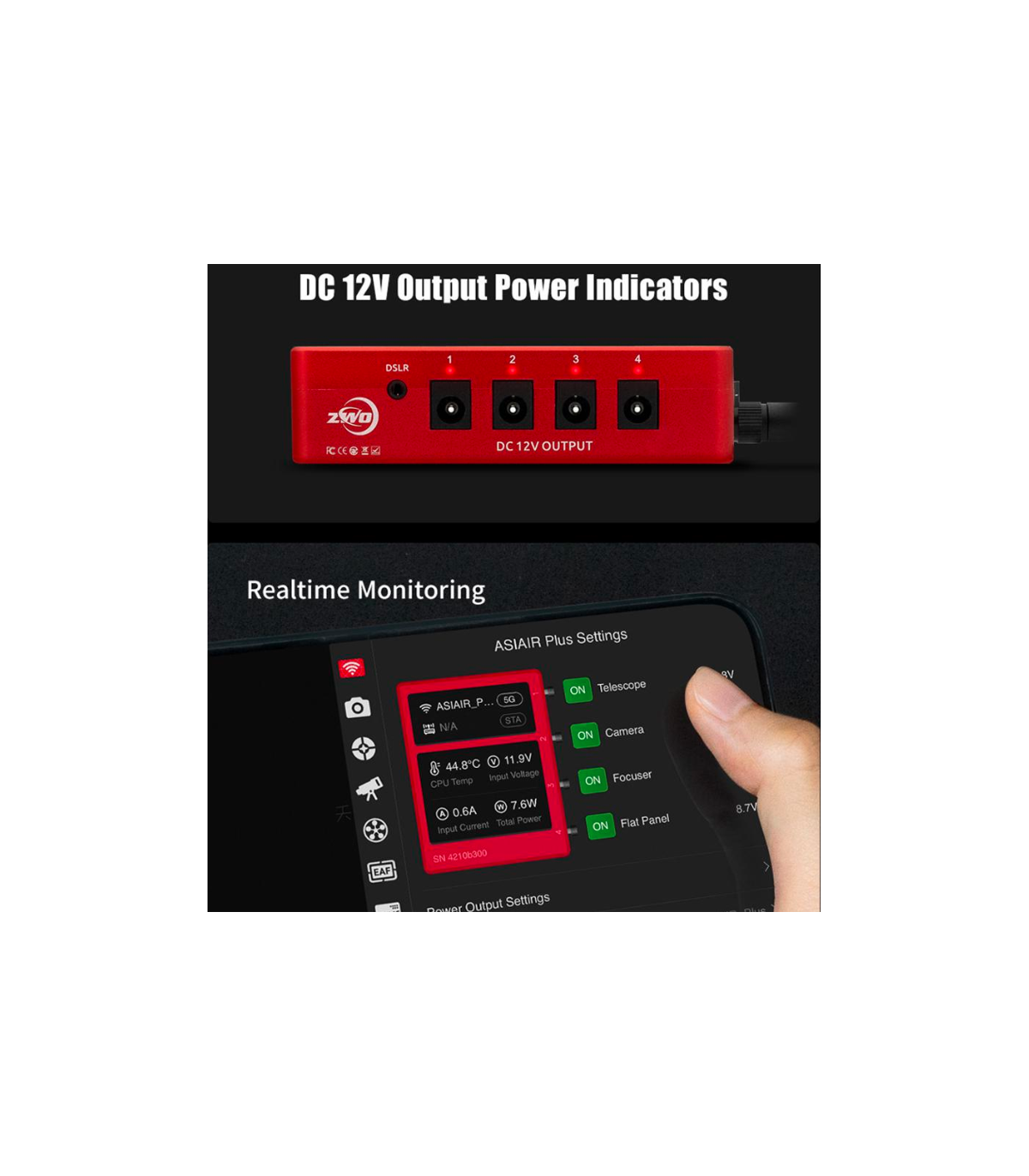
♦ Four newly added indicators for the 12V DC outputs. With it, you can check the power status and monitor consumption in real time.
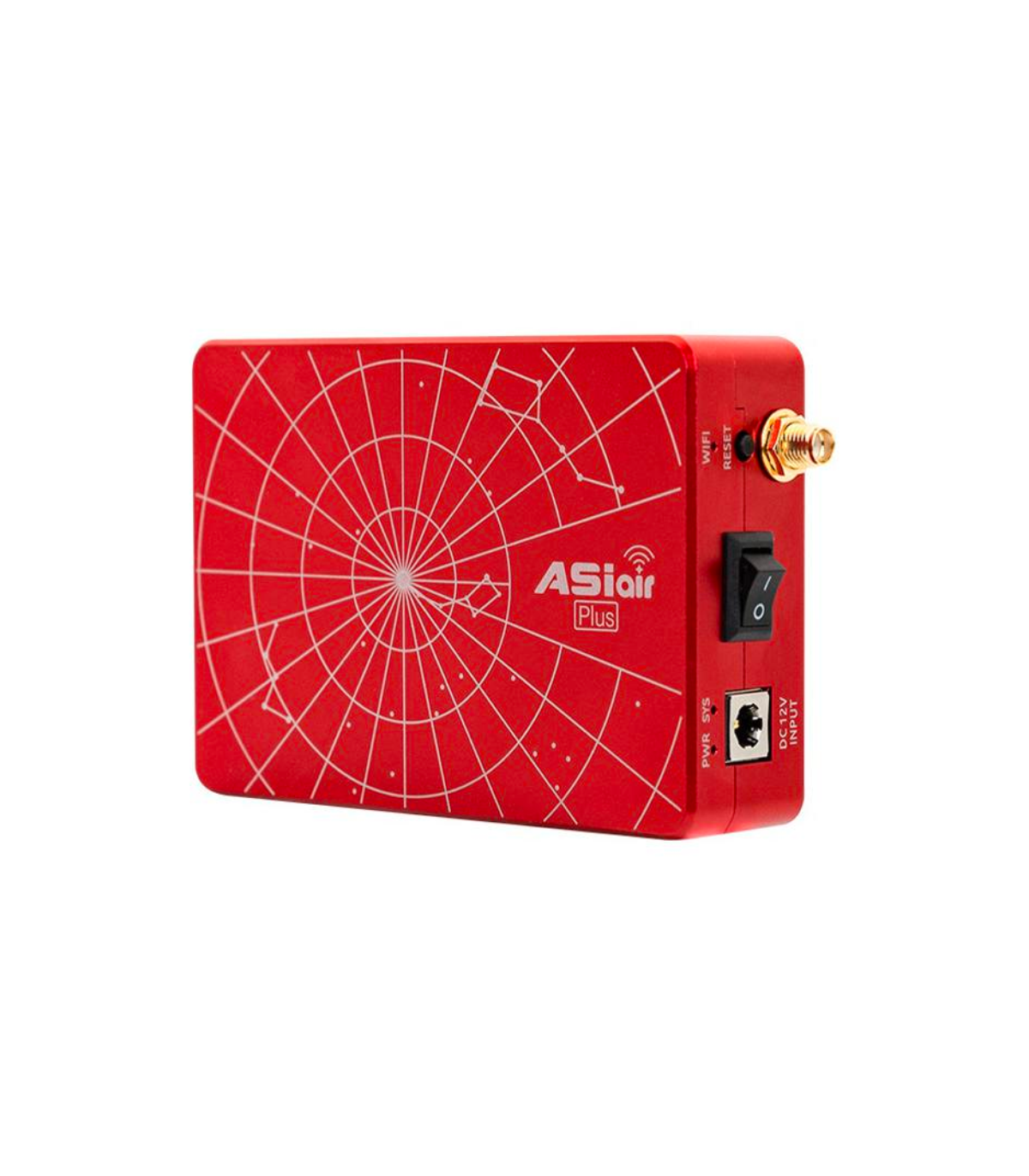
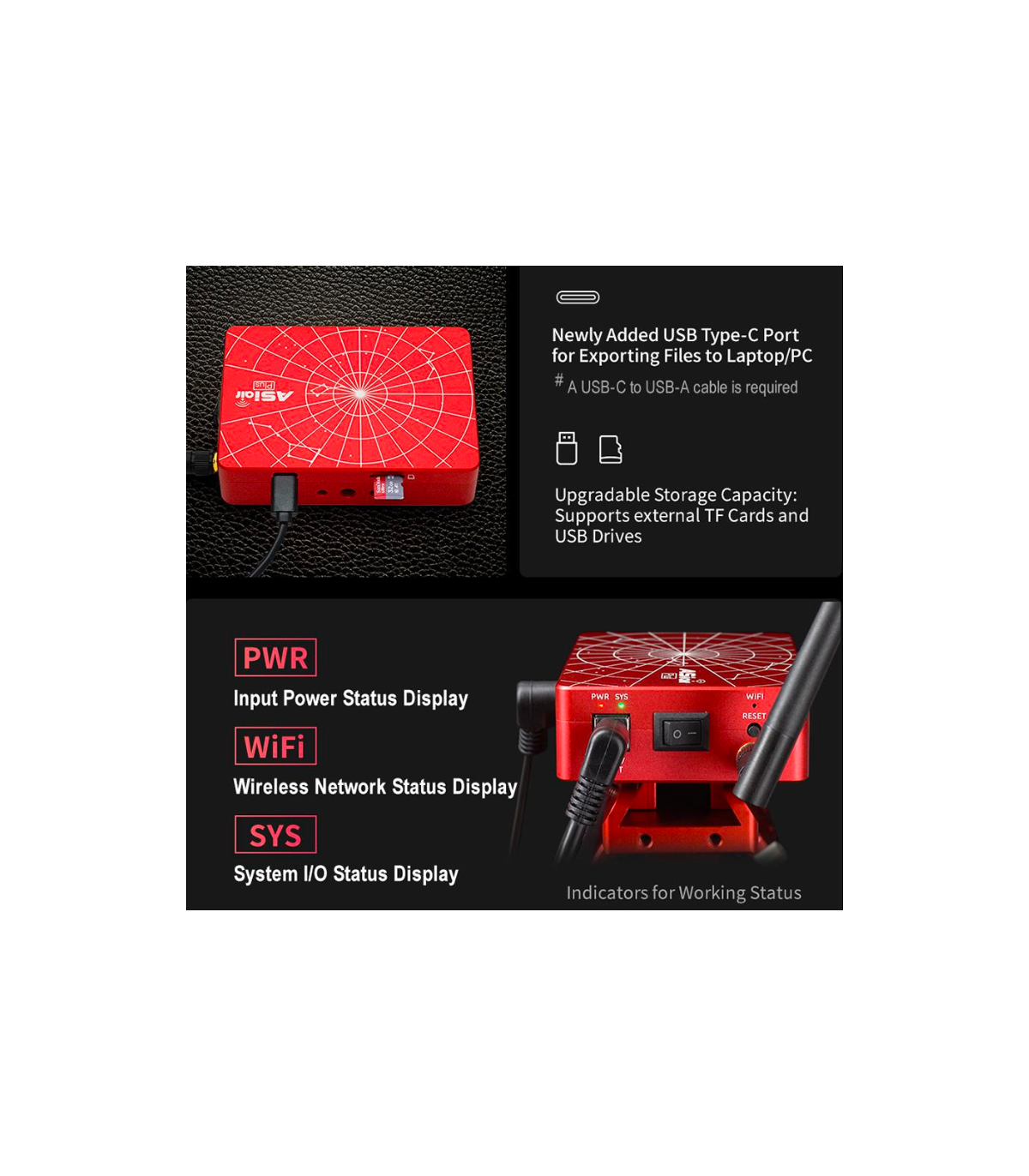
♦ New USB-C port, so you can connect the ASIAIR Plus directly to the computer to transfer the data instead of going through the SD card and a card reader.
♦ ASIAIR Plus is now even more compact and lighter. The case is made of aluminum and processed with CNC technology, which makes the device even more robust and durable.
♦ Even better operational security: ASIAIR OS runs on eMMC memory. With a new "Auto Recovery Mode" feature, the system automatically detects errors and recovers.
♦ The internal memory of the ASIAIR Plus for images and videos is a generous 20 GB.
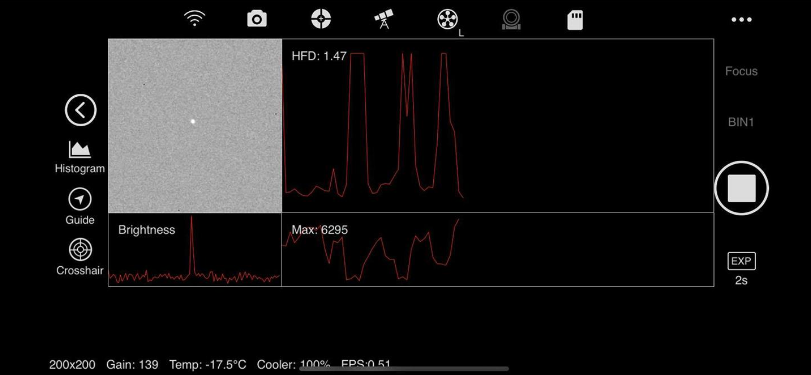
Fine Focus: After rough focusing, select a star, then fine focusing through curves such as brightness and HFD can be performed. It can also be done with ZWO EAF by remote control.
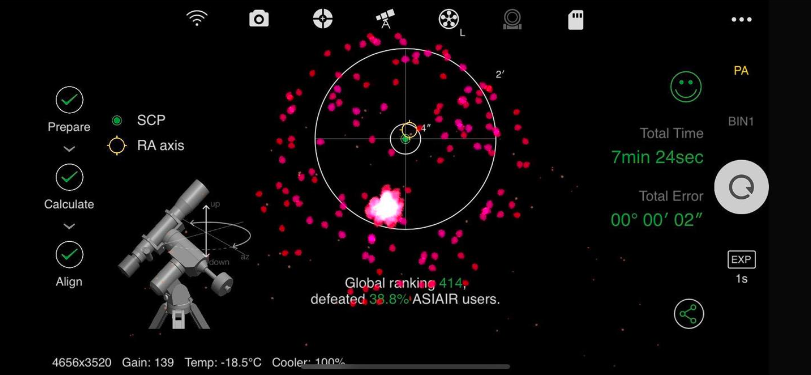
Pole Alignment: Based on the powerful plate resolution function, it can complete arcsecond polar axis alignment within minutes.
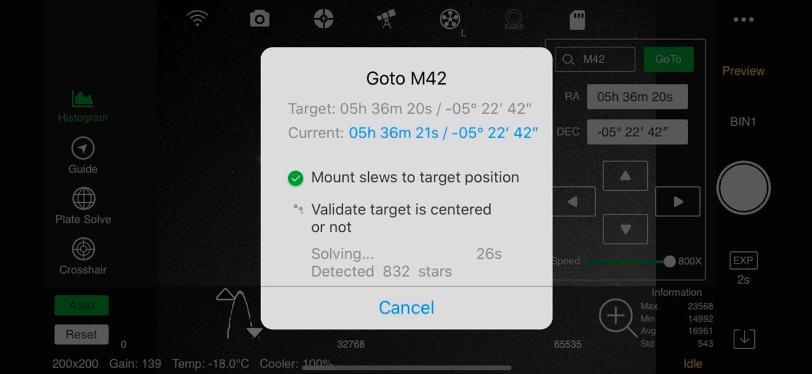
Accurate GoTo: With a rich database of celestial objects, accurate GoTo can be achieved after object selection.
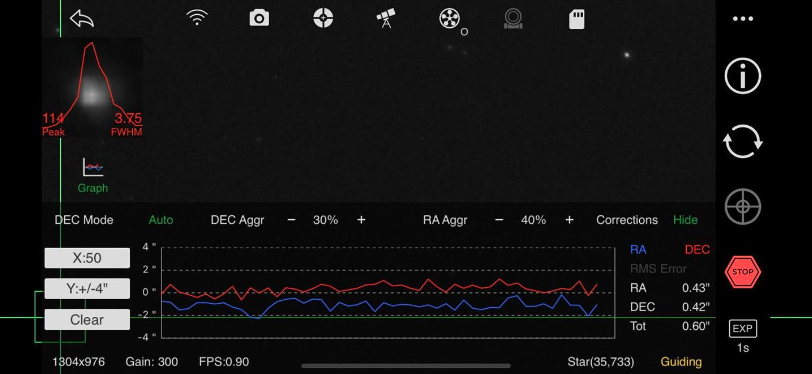
Stable Guide: Independent and stable guide control can be achieved without the PC.
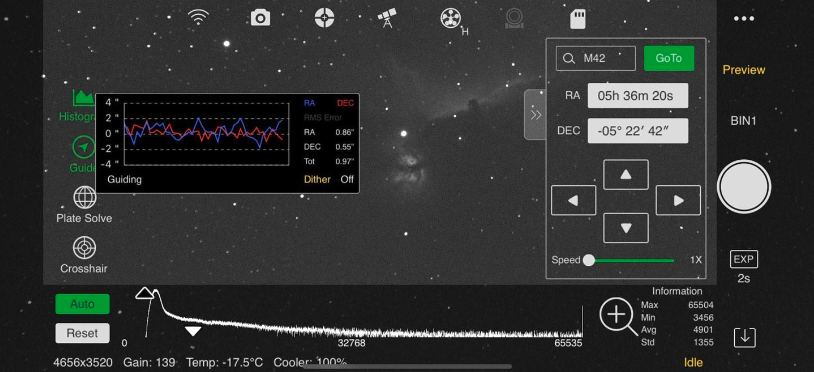
Preview mode: You can see the image of the object just below the 'Preview'.
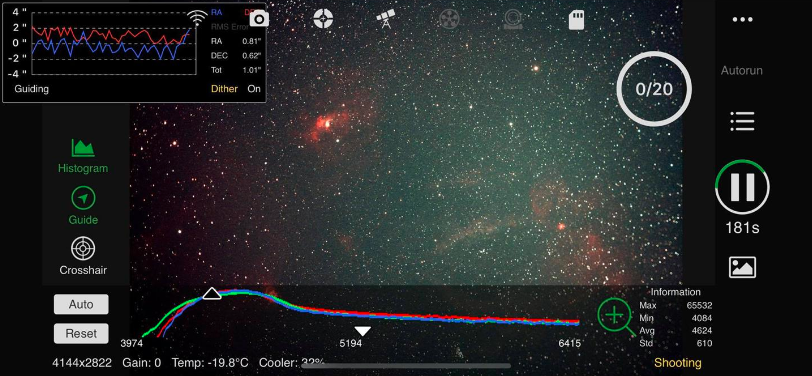
Autorun: set the object and set the schedule, ASIAIR will run the image sequence automatically.
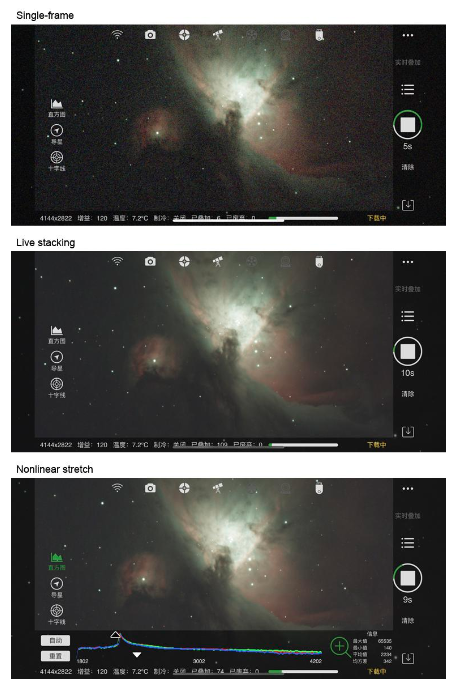
Live stacking: You can see the stacked image (lower noise with calibration shots) of the object directly while shooting.
Compatible DSLR and system cameras
ASIAIR PLUS is a smart WiFi device that allows you to control DSLR and system cameras. You can find a list of compatible DSLR and mirrorless system cameras here.
ASIAIR does not control astronomical cameras from other manufacturers, such as QHY.
Compatible mounts
ZWO has also worked closely with major manufacturers to ensure compatibility with iOptron, Vixen, Rainbow, Avalon, Explore Scientific and other models (including some new models). For now, ASIAIR PRO is compatible with hundreds of equatorial mounts from more than 20 manufacturers worldwide. All mounts and cameras compatible with the previous version (ASIAIR) also work with ASIAIR PRO and ASIAIR PLUS.
Link to a list of compatible mounts - Mounts with Asiair.
Manuals can be found on the ZWO´s manuals page.
Drivers can be found on the ZWO´s driver page.
ASIAIR connection to Skywatcher Goto mounts
In principle, all Skywatcher Goto mounts can be connected to the ASIAIR system.
1. Older Goto systems without a USB port
- Plug the RS-232 cable included with the bracket into the corresponding socket of the Synscan handbox, connect it to the ZWO USB-RS232 converter cable and connect it to the USB socket of the ASIAIR
- Turn on the mount and ASIAIR, select "Synscan" as the mount in the ASIAIR app.
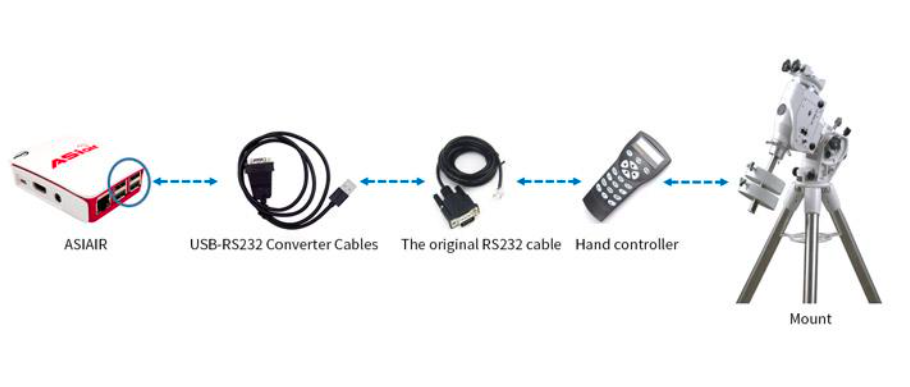
Note: The new ASIAIR Plus no longer has an RS-232 adapter cable included. Here then pos. 1 is skipped.
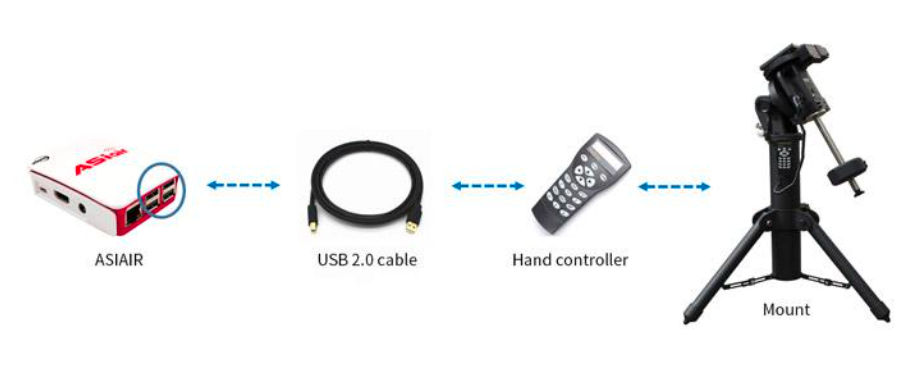
2. Skywatcher Synscan mounts with USB connection on the hand controller or on the mount itself (eg newer EQ6-R and EQ8)
- These can be connected directly to the ASIAIR with a USB 2 cable.
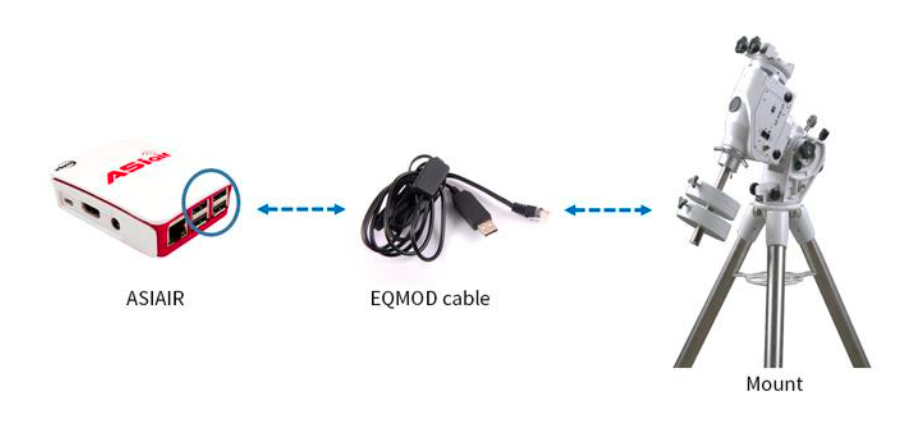
3. Connection via EQMOD
With a suitable EQMOD cable, the mount can also be connected directly to the ASIAIR, bypassing the Synscan handbox. An advantage of this method is that you can skip basic star alignment and go straight to plate resolution.
Matching Wires:
EQDIRUSBEQ5, EQDIR-USB-RJ and HT004 for EQ3, EQ5, HEQ5, AZ-EQ5, EQ6-R, AZ-EQ6, EQ8
EQDIRUSBEQ6, EQDIR-USB-DB9 and HT005 for EQ6 Synscan / Syntrek, Orion Atlas
4. Connection via Wi-Fi/WLAN
Skywatcher mounts with an integrated WLAN module or the separately available WLAN module 20318 (the latter fits all Skywatcher Goto mounts) can be connected directly to the ASIAIR without cable.
Please note the additional information that ZWO has summarized in this manual:
ASIAIR connection to other Goto supports
In principle, all Goto media that support the INDI protocol can be connected to the ASIAIR. You can find a list of these mounts here:
Please note that depending on the carrier, special adapter cables (RS232) may be required, which we unfortunately do not have in our range. These are available from the manufacturer itself or you can make them yourself with the proper knowledge.
With newer media with USB or WLAN, the connection is done as described above in Skywatcher, the drivers linked in Indilib may also need to be downloaded.
Especificaciones:
| Device type: | WiFi controller for cameras and mounts |
| Autoguiding: | Standalone autoguiding function |
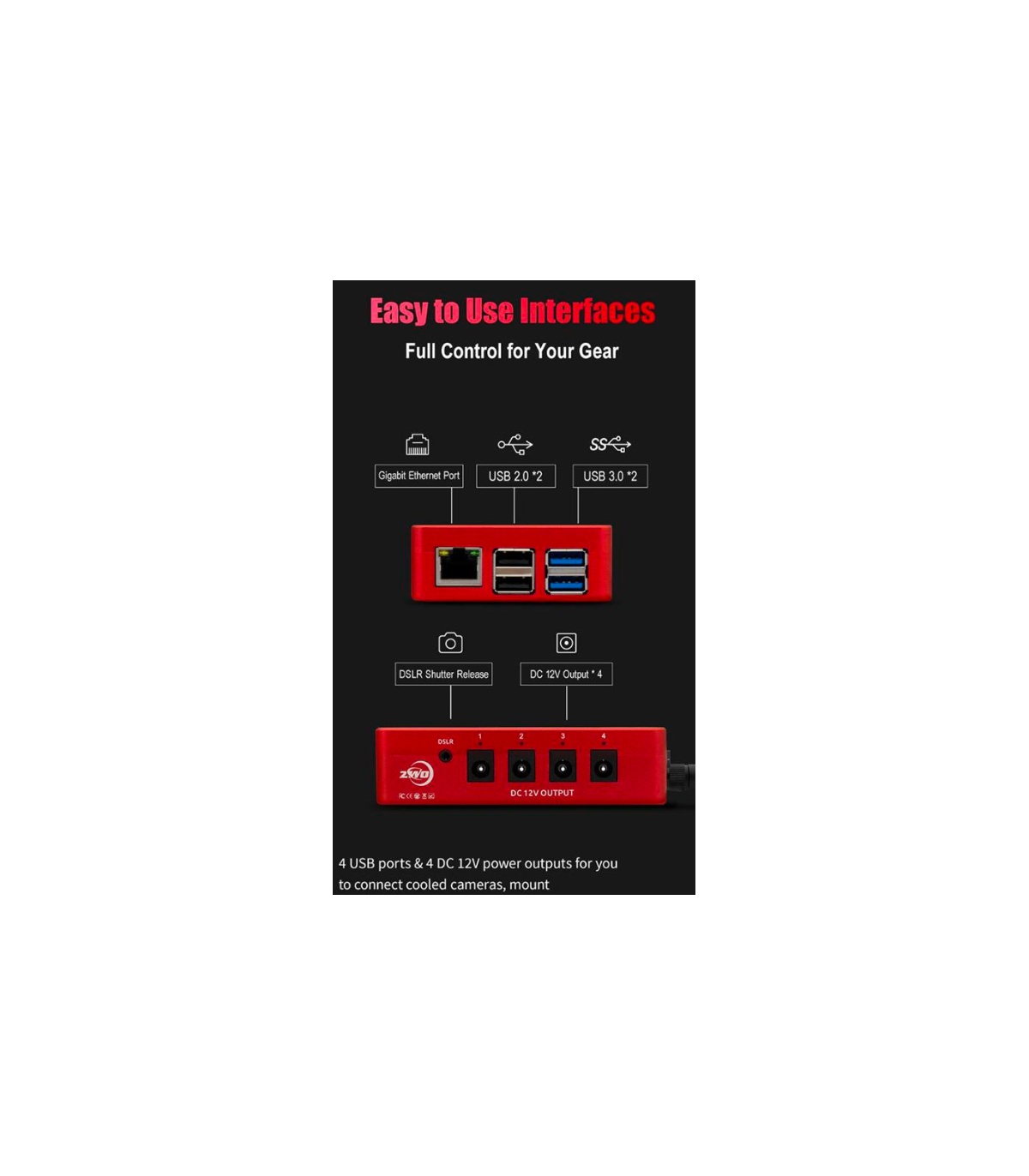
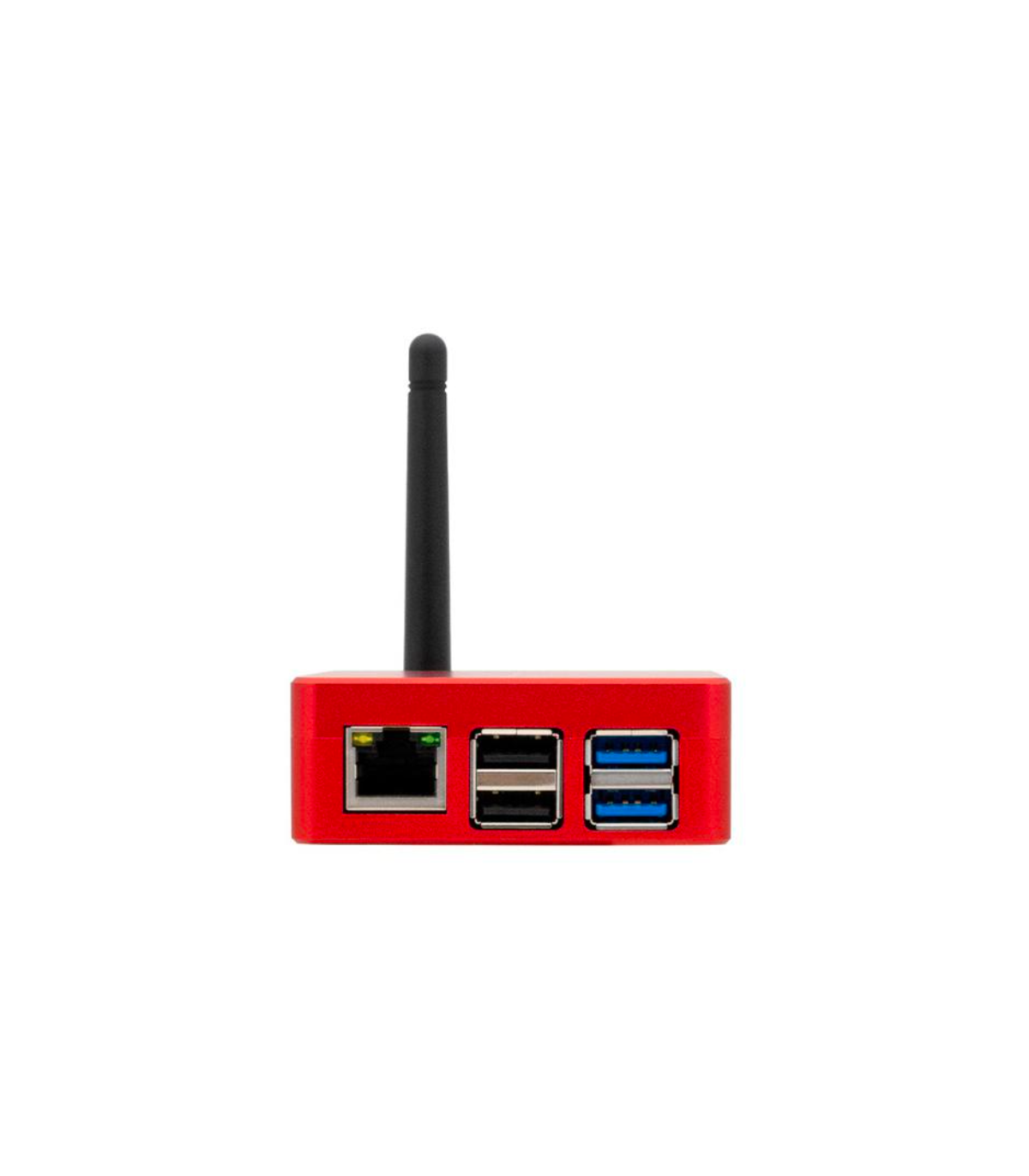
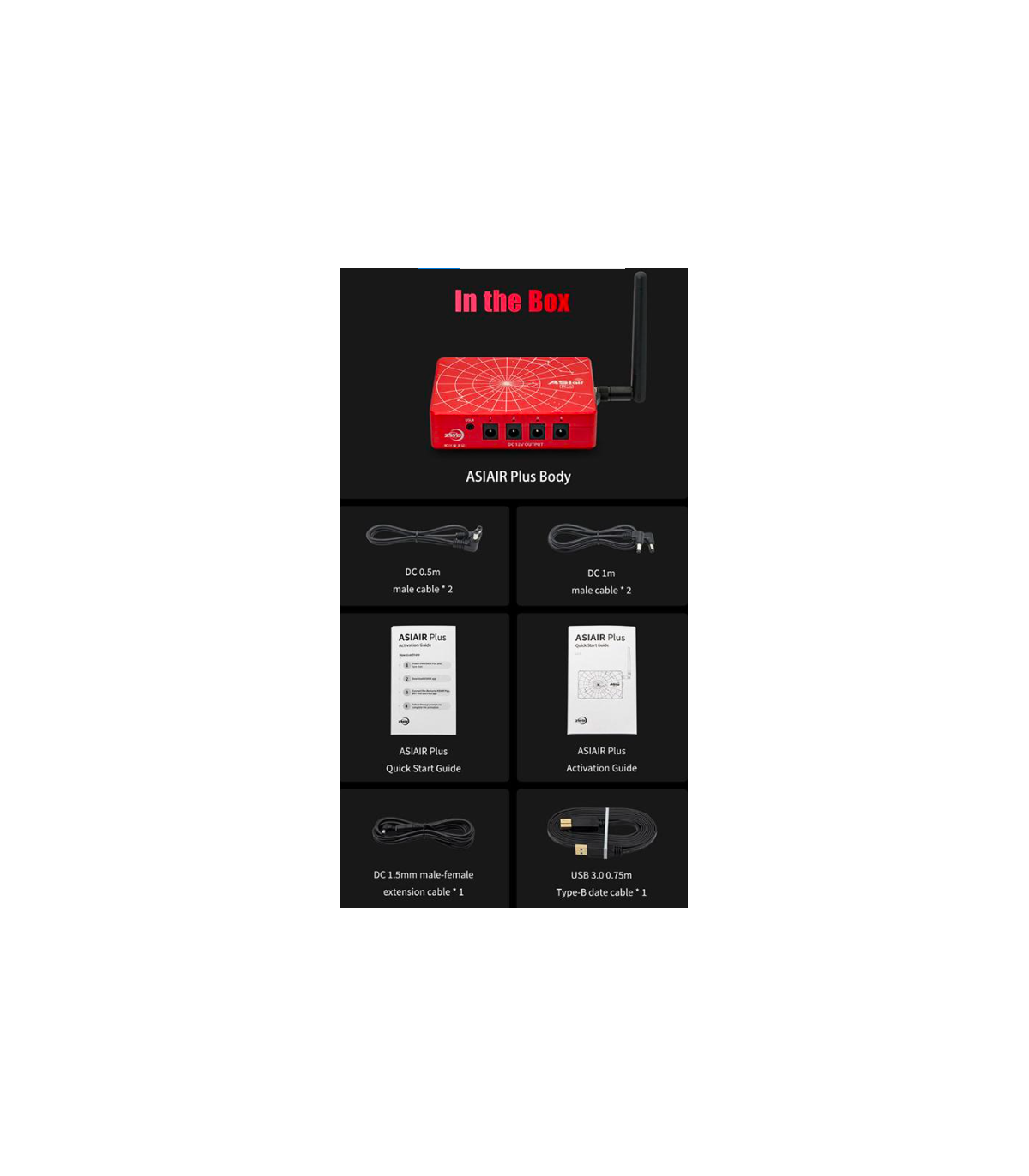
| USB ports: | 2x USB 3.0, 2x USB 2.0, 1x USB-C |
| 12 V power outputs: | 4x 5.5/2.1 mm coaxial power connectors |
| LAN port: | RJ-45 Gigabit Ethernet port |
| WiFi control: | 2 bands - 5 GHz and 2.4 GHz |
| WiFi range: | approx. 20 m (at 2.4 GHz) |
| Plate solving: | Offline plate solving - in a few seconds |
| Shutter release port for DSLR: | Yes |
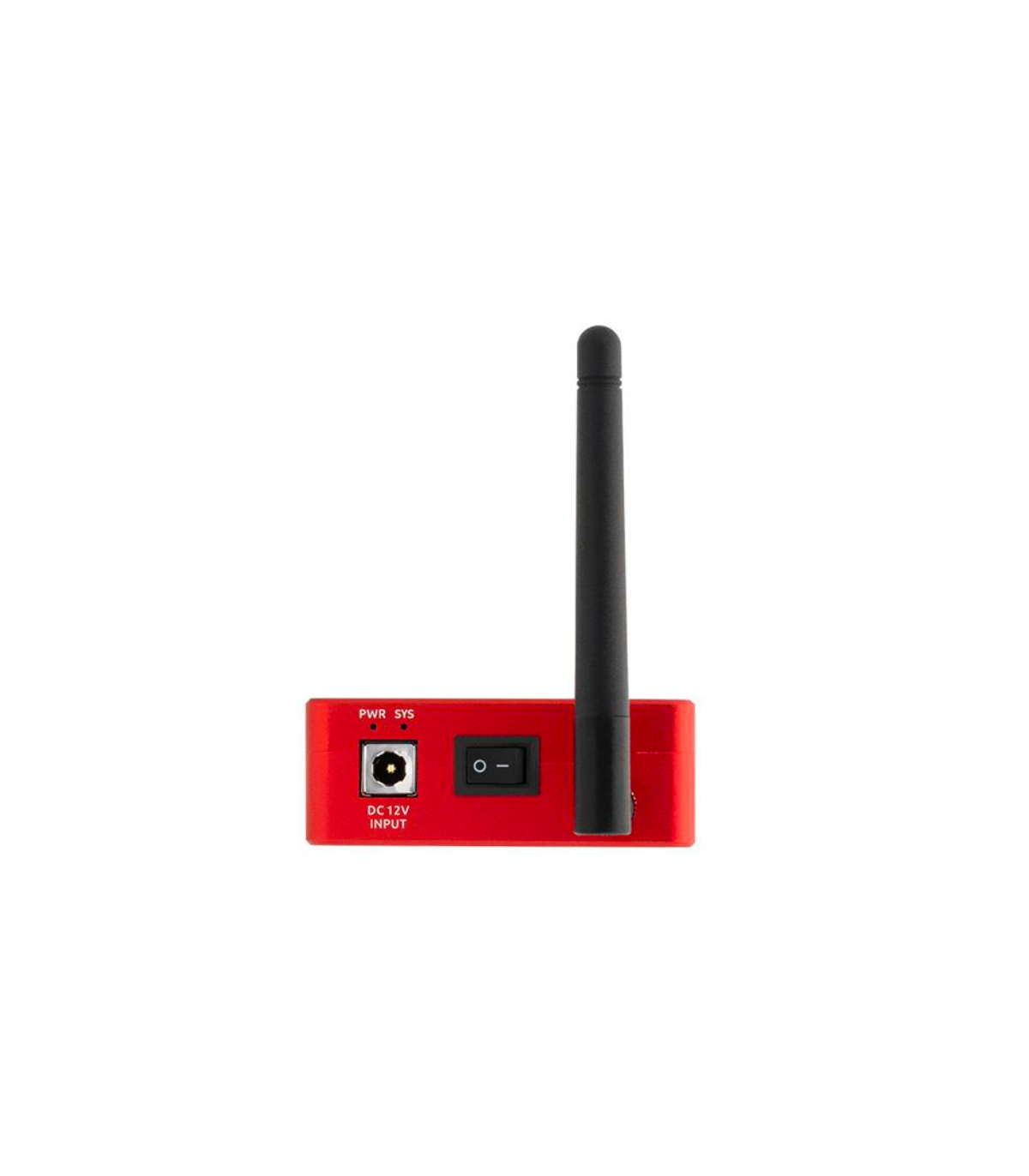
| Power supply: | 12 V (up to 15 V) and 2 A to 6 A are required |
| Supported mounts: | all common equatorial GoTo mounts |
| App suitable for: | iOS or Android |
| iOS: | 10.0.2 and newer, iPhone 5s, 6, 7, 8 ... series, iPad, iPad mini, iPad Pro |
| Android: | 5.0 and newer, all Android smartphones with at least 4 GB RAM, tablets with Android OS and at least 4 GB RAM |
| Windows: | Only via Android emulator, for example Bluestack |
| Working temperature range: | 0 °C to +40 °C |
| Dimensions: | 100 mm x 70 mm x 26.5 mm |
| Weight: | less than 220 g |
 English GB
 Español
